

Use
.prefix set (new prefix) to customize Omex’s command prefix.Initial Setup
1
Welcoming Omex
After inviting Omex, you’ll receive a message containing some basic information about the bot.
If not, don’t worry — just keep following the steps below.This message will be sent to the first channel where Omex has permission to send messages.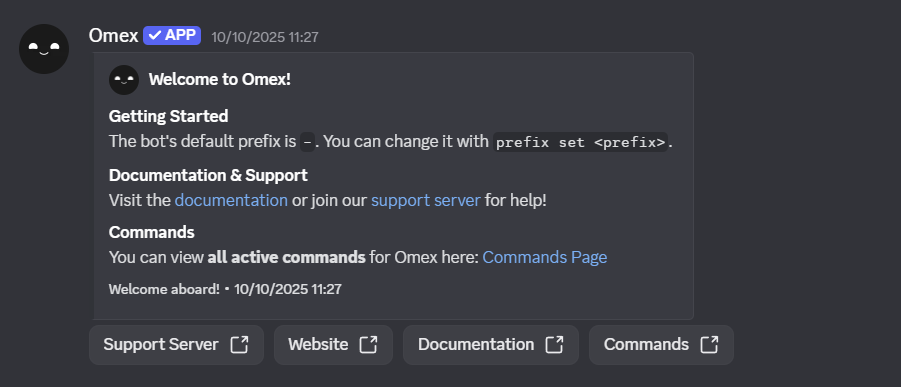
If not, don’t worry — just keep following the steps below.This message will be sent to the first channel where Omex has permission to send messages.
2
Moderation Systems
By running the 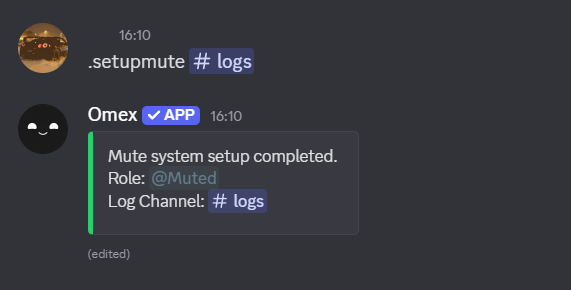
setupmute command, Omex will automatically create a Muted role and configure
the correct channel permissions.Commands such as imute and rmute are unaffected by this setup — they are only triggered
when specifically used.
setupjail.3
Logging
Omex supports both unified and individual log channels.
You can choose to send all log events to one channel, or set up separate channels for different log types.For full details, visit the Logging Module page.
You can choose to send all log events to one channel, or set up separate channels for different log types.For full details, visit the Logging Module page.
You can configure logging to be individual or grouped, depending on your server’s needs.
4
Completion
You’ve now finished the basic setup for Omex!For help with additional features, check the relevant pages in this documentation
or join our support server for assistance.
or join our support server for assistance.