⚠️ This is a separate premium feature.
To learn more about gaining access to the Analytics module, click here: Access Analytics
Overview
The Analytics module was meticulously developed for performance and detail. It allows server owners and moderators to:- Identify most active users.
- Monitor channel and message engagement.
- Track voice chat participation and durations.
- Analyze emoji usage trends.
- Visualize server activity using graphs and charts.
Commands & Example Output
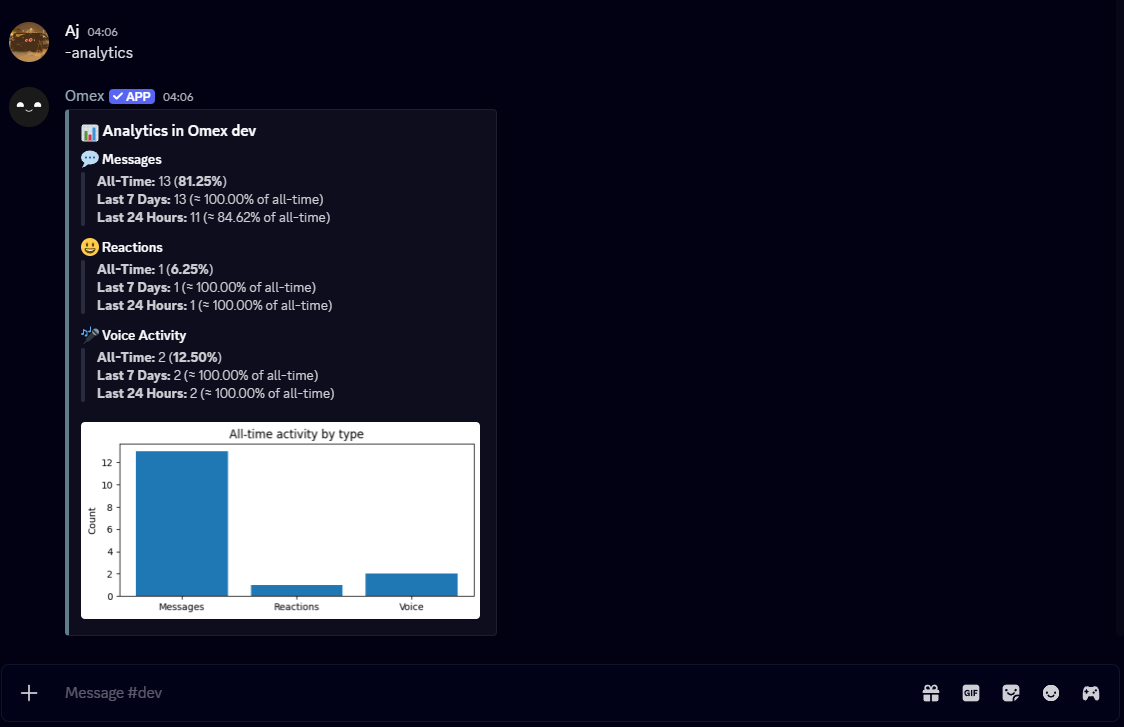
1️⃣ /analytics
Description: General overview of server analytics.
Example Output:
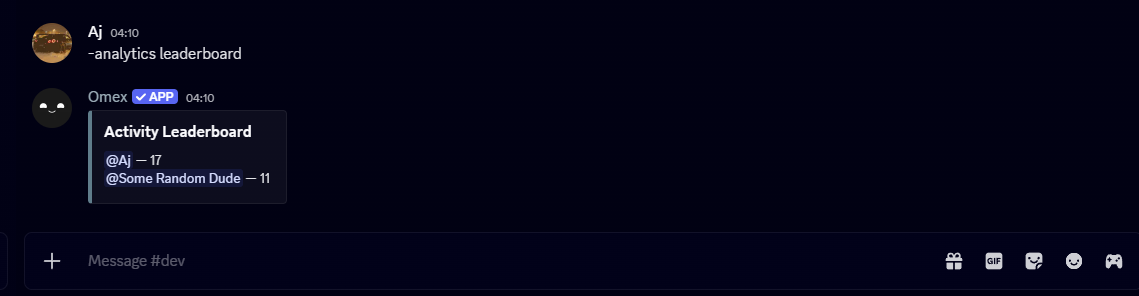
2️⃣ /analytics leaderboard
Description: Displays a leaderboard of the most active users.Example Output:
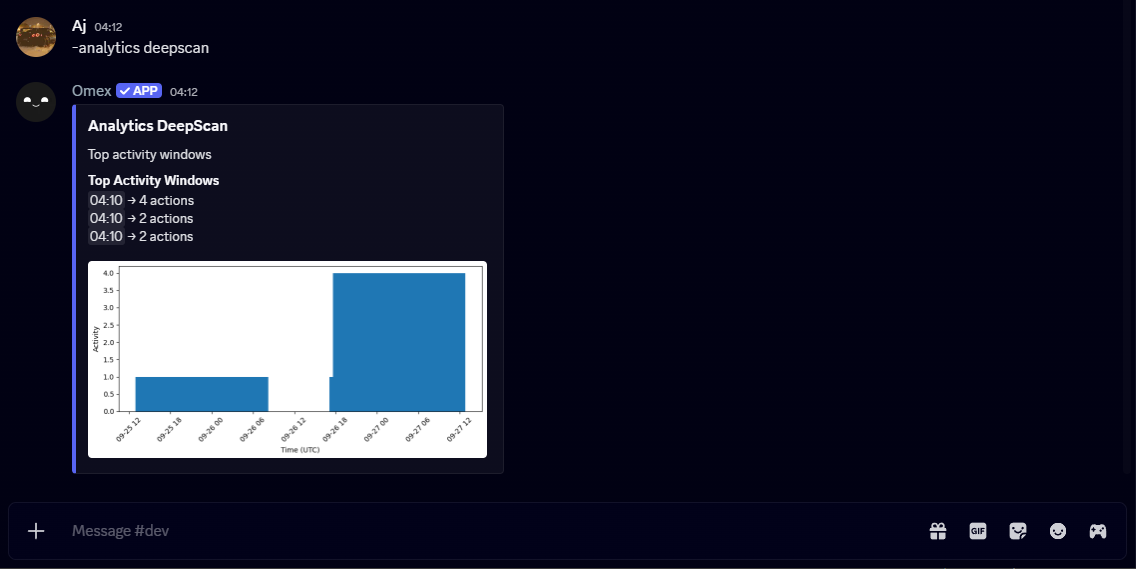
3️⃣ /analytics deepscan
Description: Performs a detailed scan of activity across users and channels.Example Output:
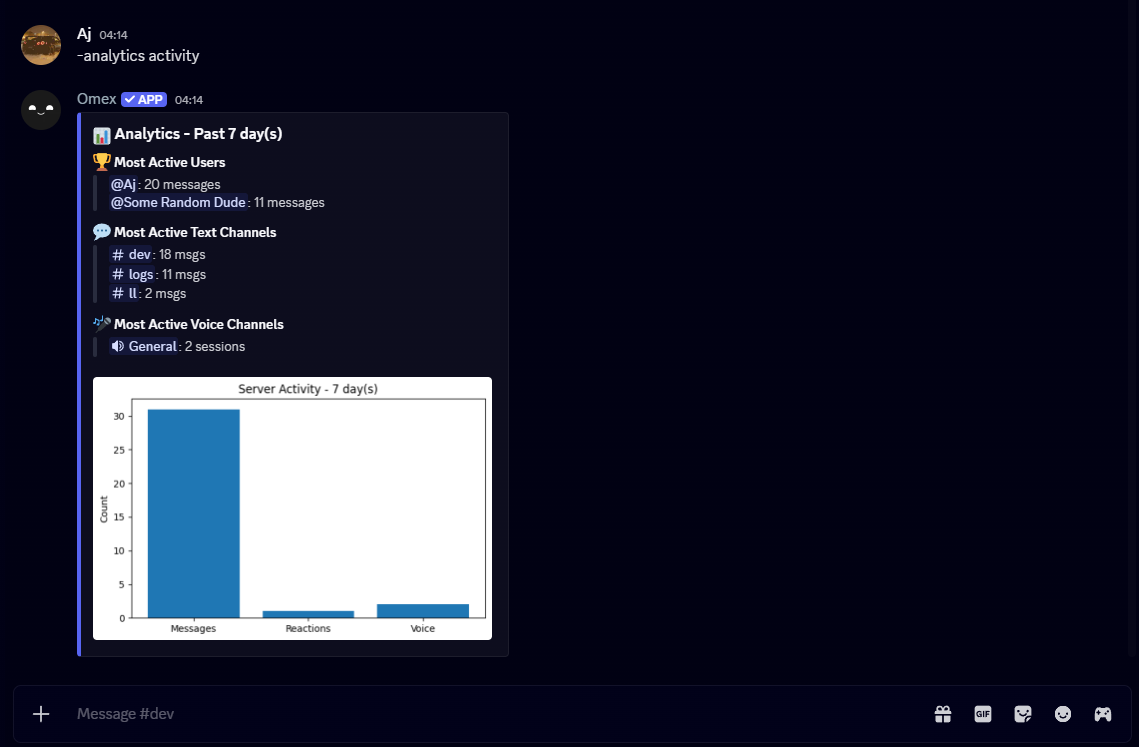
4️⃣ /analytics activity
Description: Shows message, reaction, and engagement statistics over time.Example Output:
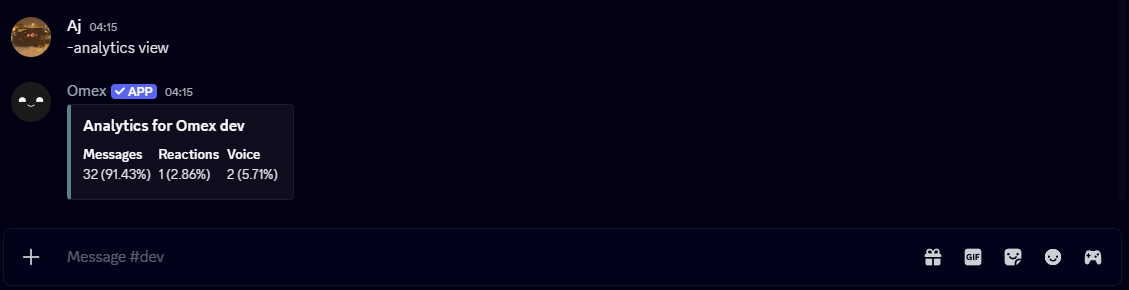
5️⃣ /analytics view
Description: View analytics for a specific user or channel.Example Output:
/analytics voicedurations
Description: Displays total voice chat durations for users and channels.Example Output:

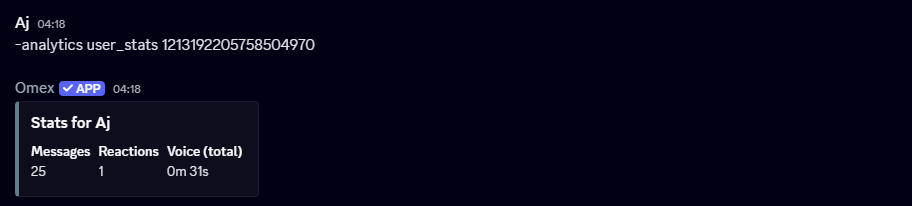
/analytics user_stats [User]
Description: Detailed stats for a specific user, including messages, reactions, and voice activity.Example Output:
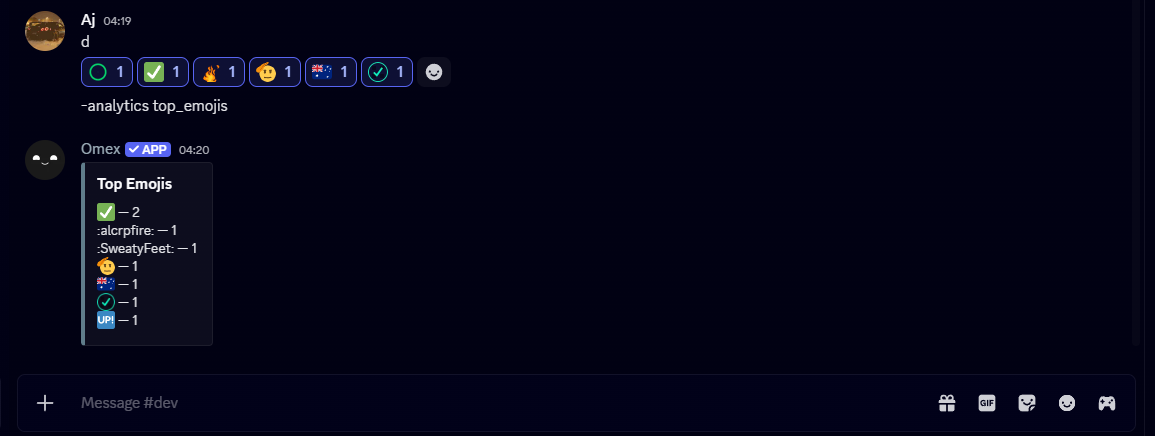
/analytics top_emojis
Description: Lists the most frequently used emojis in the server.Example Output: